Integrating Drone Data with GIS and Asset Management Systems
How drone deliverables actually land inside ArcGIS, work-order systems, and asset platforms — the workflow, the file formats, the coordinate-system gotchas, and what to specify before the flight to avoid integration rework.
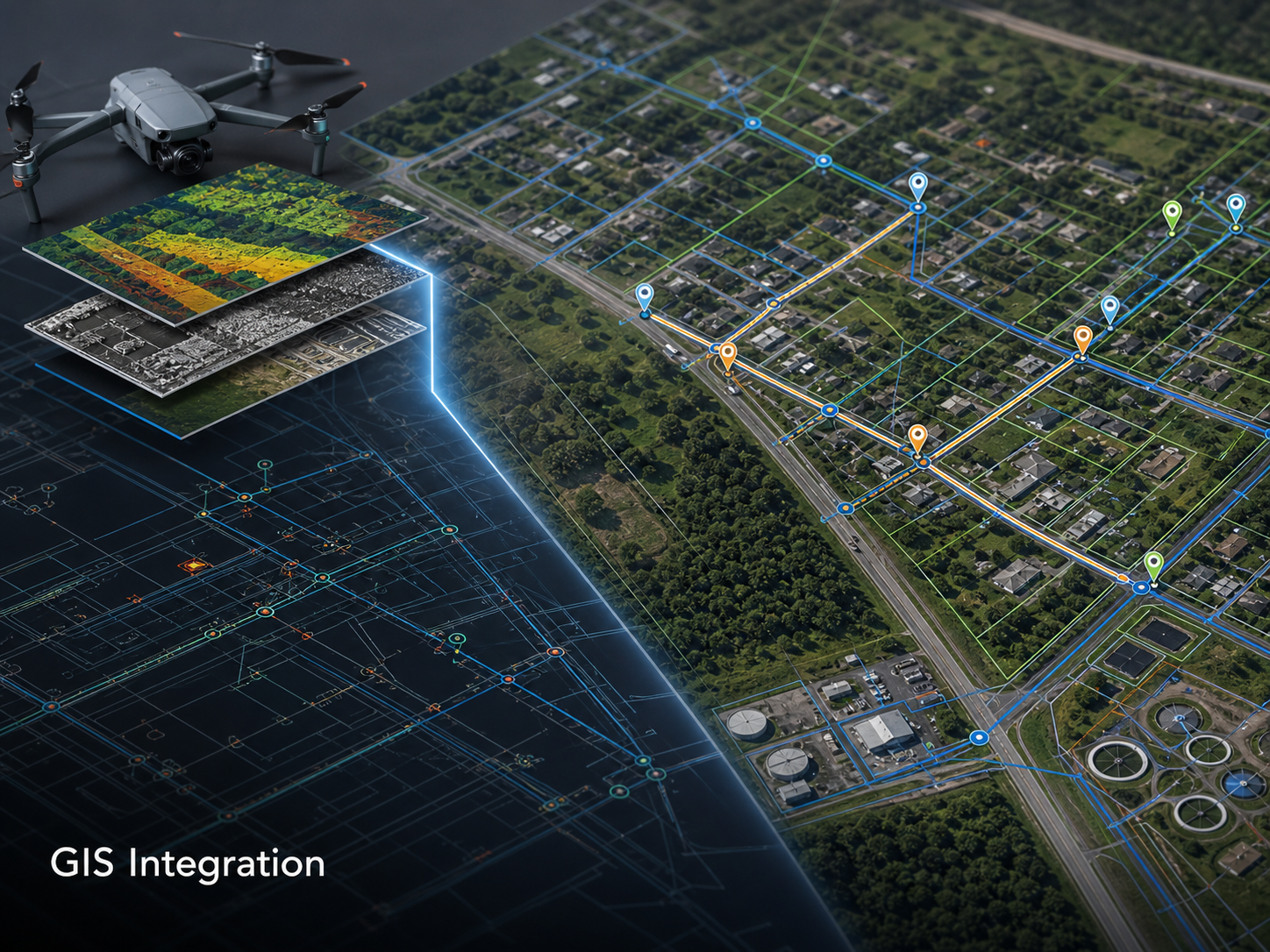
Drone data only delivers value when it lands in a system someone uses. A flawless orthomosaic that sits in a project folder on someone’s laptop is a sunk cost. The same orthomosaic, layered correctly inside the asset owner’s GIS and linked to the work-order system, is a working tool.
This post is about the integration layer — what it takes to move drone data from capture into operational systems, where the friction tends to appear, and what to specify before a project starts so the integration is built in rather than bolted on.
Why integration is where projects stall
Most drone integration failures are not about flight or data quality. They are about the gap between deliverable and system-ready data. A drone provider hands over files; the asset team has to convert, re-project, name, classify, and import them before they become useful. That conversion step is where projects lose time and where the operational value of the work erodes.
“We have walked into asset teams where there are several years of drone data sitting in folders nobody opens,” says Hunter Gray, founder of Overwatch Mapping. “It is not because the data was bad. It is because nobody specified what the data needed to look like to land in the GIS, and so the integration kept getting deferred. After a while, the team stops trying.”
The fix is upstream of the flight, in the scope document. The deliverable specification should describe how the data lands in the operational system, not just what gets handed over.
The standard drone-to-GIS workflow
A working drone-to-GIS pipeline has six stages. Each is a place where rework can creep in if the specification is loose.
Capture. Drone flight produces raw imagery, GNSS logs, and any ground control survey data. Coordinate reference system (CRS) is captured (typically WGS84) but is rarely the final CRS for the operational system.
Processing. Imagery is processed into orthomosaic, point cloud, DSM, or 3D mesh. CRS transformation typically happens here. Quality control at this stage catches alignment, exposure, and coverage issues before they reach the asset team.
Format conversion. Outputs are written in the formats the receiving system accepts — GeoTIFF for raster data, LAS/LAZ for point clouds, Shapefile or Geodatabase for vector annotations, FBX/OBJ for meshes.
Metadata. Each deliverable arrives with its CRS, capture date, processing parameters, and accuracy report. Without metadata, the data has to be re-validated on the receiving side, which often does not happen.
Ingest. The asset team imports the data into the GIS or asset platform. This is where naming conventions, classification, and folder structure matter — data that is hard to find inside the system is data that does not get used.
Linkage. Drone data is associated with the asset records it relates to. A pole inspection image links to the pole record. An orthomosaic links to the project, the date, and the asset class. This is what makes the data findable through the asset workflow rather than as a standalone archive.
A clean pipeline has all six stages defined before the flight happens. An unclean pipeline has the first three and discovers the others later.
Where ArcGIS integration usually lands
ArcGIS is the dominant platform for infrastructure asset GIS, and most drone integration work in this sector involves landing data into ArcGIS Online, ArcGIS Enterprise, or ArcGIS Pro. The platform has direct ingestion paths for the standard drone outputs, and recent partnerships like FlytBase’s Esri integration and Esri’s own Site Scan acquisition have meaningfully reduced the manual steps.
For a typical infrastructure team using ArcGIS:
- Orthomosaics land as imagery layers, either hosted in ArcGIS Online or published from local raster catalogues.
- Point clouds can be hosted as scene layers, accessible from ArcGIS Pro and web scenes.
- Inspection imagery typically lands as point features with attached photo URLs or photo attachments.
- Annotations and condition findings become point or polygon features in a dedicated layer, classified by severity.
A well-integrated drone program produces all four for every relevant project, with consistent symbology and field schemas across captures. That consistency is what makes year-over-year change analysis possible without re-mapping each dataset.
Coordinate reference systems — the recurring failure mode
The single most common source of integration rework is a CRS mismatch. Drone data is captured in WGS84; asset GIS data is usually in a State Plane zone, UTM zone, or local grid. Re-projection between them is routine but introduces small accuracy losses, particularly in vertical datum.
For survey-grade work, the CRS conversation needs to happen at scoping, not at delivery. The scope should specify:
- The target horizontal CRS (e.g., NAD83 / State Plane Texas North Central).
- The target vertical datum (e.g., NAVD88 with a specified geoid model).
- The transformation parameters from capture CRS to target CRS.
- A ground control survey, with checkpoints in the target CRS, accompanying the deliverable.
Without that specification, the receiving team has to make CRS assumptions, and those assumptions are wrong often enough that the data ends up needing to be re-processed.
Linking drone data to asset records
The integration step that delivers the most operational value is linking captured data to the asset records it relates to. A drone-derived image of a deteriorating insulator becomes a maintenance trigger when it lives inside the asset record for that insulator and is visible to the planner reviewing it.
“The most expensive part of any drone program is the data the asset team can’t find,” Gray notes. “If a planner is opening up an asset record and seeing the most recent visual capture right there, the program is paying for itself. If they have to remember which project folder the imagery is in, they will inspect the asset by sending someone in a truck instead.”
Inspection software that integrates with work-order systems closes this loop directly — GPS-tagged inspection findings become work orders without manual transcription, and the resulting work order links back to the source imagery for verification.
For asset owners building this loop:
- Each captured image or finding should carry a unique asset identifier where applicable.
- The drone provider should be working from an asset list, not generating one.
- Findings should land in a structured format (CSV, Geodatabase, or direct API push), not as a free-text PDF.
- The integration should be tested in both directions before scaling — capture-to-system and system-to-capture.
Real-world integration impact
The published case studies on drone-GIS integration consistently show meaningful operational improvements when the integration is built in:
- A European transport authority managing 8,000+ km of highways and bridges reduced inspection time by 50% and detected structural defects earlier across its network.
- A utility processing 675,000+ images across 267 sites reported a 3× increase in inspection capacity and 70% reduction in remediation times once AI fault detection and automated ticketing were in place.
The pattern in both cases is the same: the value compounds when the data is in the system, not when it is captured.
A practical specification for drone-to-GIS deliverables
When commissioning drone work that will land in an asset GIS, the scope of work should include:
- Target CRS (horizontal and vertical), with transformation method specified.
- Deliverable formats matched to the receiving platform — GeoTIFF, LAS/LAZ, Shapefile or Geodatabase, FBX/OBJ as appropriate.
- Naming convention for files and layers, consistent across captures.
- Schema for findings or annotations — field names, classifications, severity scales.
- Linkage requirements — which asset identifier each finding should carry.
- Accuracy report and metadata package accompanying every delivery.
- Ingest path — how the data will move from delivery into the operational system (direct upload, agency staging area, API push).
A scope of work that addresses all seven turns into a delivery the asset team can ingest in hours, not weeks.
A short note on programmatic integration
For asset owners running drone capture as a recurring program rather than as occasional projects, the integration step warrants direct investment. A modest amount of GIS engineering — schema standardisation, automated ingest scripts, layer template publication — pays back across every subsequent flight. The economics are similar to data engineering generally: the first integration build is the most expensive, and the integration cost per flight drops sharply once the pipeline is established.
“Programs that pay for the integration build early end up with drone data being a routine input to maintenance planning,” Gray says. “Programs that defer the integration end up with a drone capability that produces files. The difference is not the flight quality — it is whether the data lives inside the system the asset team actually uses.”
The deliverable to specify is not an orthomosaic. It is an orthomosaic that lands clean inside the GIS, on the right CRS, with the right naming, linked to the right asset records. That deliverable looks the same on day one as it does on flight one hundred — and that is what makes the program operationally durable.